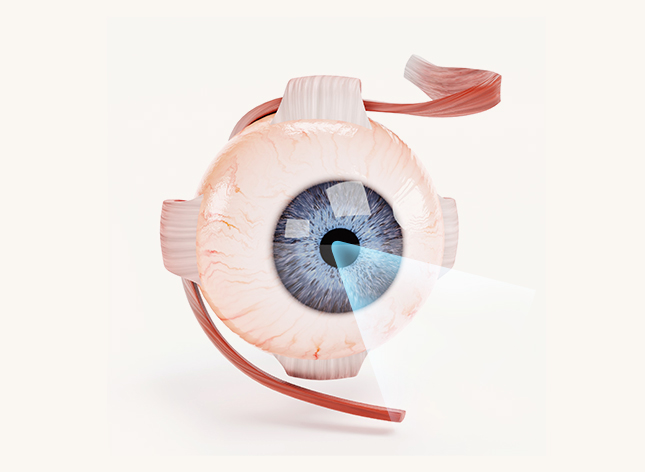
Computer Eye Strain Seoul: Computer Vision Syndrome Guide for IT Workers & English-Speaking Eye Exams
Dry, tired eyes after a long day at the monitor? A board-certified ophthalmologist explains what causes computer vision syndrome, what actually helps, and how to get an English-speaking eye exam in Guro.
Quick Answer
Computer eye strain (computer vision syndrome) is a cluster of reversible symptoms — dryness, burning, blur, headaches and neck ache — caused mainly by reduced blinking, uncorrected or outdated prescriptions, and poor screen setup. For most IT workers with computer eye strain in Seoul, the fix is a combination of the 20-20-20 rule, a lower and slightly farther monitor, preservative-free lubricants and an up-to-date prescription for your real working distance. If symptoms last more than 2–4 weeks despite these changes, book a full eye exam; at Nunehim Eye Center in Guro, consultations are available in English for workers from Gasan, Guro, Yeongdeungpo and Gwanak.
Q. What is computer vision syndrome, and why is computer eye strain in Seoul so common among IT workers?
Computer vision syndrome (CVS), also called digital eye strain, is the group of eye and vision problems that comes from prolonged work on computers, tablets and phones. It is not a single disease but an overlap of three things: an ocular surface that dries out because you blink less, a focusing system held at one fixed near distance for hours, and posture or lighting that forces your eyes and neck to compensate. Computer eye strain in Seoul is especially common in the IT and office corridors around Gasan Digital Complex, Guro Digital Complex and Yeongdeungpo, where long screen-based workdays, heated or air-conditioned offices and evening phone use easily add up to ten or more hours of near work a day.
At Nunehim Eye Center (nunehim.com) in Guro, we see developers, designers, office staff and graduate students from Gwanak who describe the same pattern: comfortable eyes in the morning, burning and blur by late afternoon. The good news is that CVS is reversible. The important step is to rule out problems that mimic or worsen it — uncorrected astigmatism, early presbyopia, meibomian gland dysfunction or a focusing (binocular vision) disorder — rather than simply buying another bottle of drops.
Q. What are the symptoms of computer eye strain?
- Dry, burning, gritty or paradoxically watery eyes — reflex tearing is common when the surface dries out
- Blurred vision at the screen, or slow refocusing when you look up across the office
- Headaches around the brow or temples, typically worse late in the working day
- Eye fatigue, heavy lids and light sensitivity under bright office lighting
- Contact lenses that feel uncomfortable after a few hours at the monitor
- Neck, shoulder and upper-back pain from leaning toward the screen
- Occasional double vision or text that seems to ‘swim’ after long reading sessions
📊 Computer eye strain by the numbers
▸ Blinking drops sharply at the screen: a classic study measured about 22 blinks per minute in relaxed conditions versus about 7 per minute during display work (Tsubota & Nakamori, New England Journal of Medicine, 1993).
▸ The American Academy of Ophthalmology recommends the 20-20-20 rule: every 20 minutes, look at something 20 feet (about 6 metres) away for 20 seconds.
▸ A 2023 Cochrane systematic review found that blue-light filtering spectacles may make no meaningful difference to eye strain from computer use in the short term.
▸ Surveys in many countries report that roughly half or more of regular computer users have at least one CVS symptom, although estimates vary widely depending on how the condition is defined.
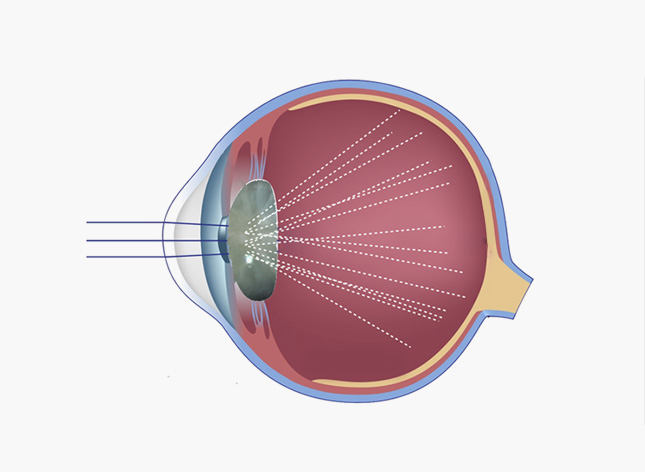
Q. How is computer vision syndrome treated?
Treatment works best in layers. First, correct the optics: even a small uncorrected astigmatism or mild farsightedness makes your focusing muscles work harder all day, and many people in their 40s are using a distance prescription for a screen that sits 60–70 cm away. Single-vision computer (office) lenses set for your actual working distance can make a large difference, especially after age 40.
Second, treat the ocular surface. Preservative-free artificial tears are appropriate if you use drops more than about four times a day; warm compresses and lid hygiene help when the oil-producing meibomian glands are blocked; and prescription anti-inflammatory drops or in-office treatments are options for moderate dry eye. Third, fix the workstation and habits — screen position, breaks and humidity — because no drop can keep up with a blink rate of seven per minute.
Q. How do foreigners get an eye exam for computer eye strain in Seoul?
Booking is easiest through Naver Booking, which lets you choose a time online without a Korean phone call; note in the request that you would like an English consultation. Bring your passport or Alien Registration Card (ARC), your current glasses and contact lens details (brand, power, base curve), a list of eye drops and medications, and any prior eye records from home. If you are enrolled in Korea’s National Health Insurance — most foreign residents staying six months or longer are — medically necessary exams such as dry eye or focusing evaluations are generally partly covered, while items such as some advanced diagnostics may be self-pay. Ask the clinic for a current quote.
A typical visit runs: registration, automated refraction and eye-pressure check, vision test, tear-film and eyelid evaluation at the slit lamp, then a consultation with the ophthalmologist. Plan on about an hour, and no referral is needed to see an ophthalmologist at a local clinic in Korea. For IT workers in Gasan or Guro, a Saturday morning slot avoids taking time off; patients from Yeongdeungpo and Gwanak usually reach us easily by subway.
Q. When should I see a doctor in Seoul?
Screen-related strain should never cause the following. See an ophthalmologist promptly — the same day for the first four — if you notice:
- Sudden loss or dimming of vision in one or both eyes
- New flashes of light, a shower of floaters, or a curtain over part of your vision
- A painful red eye with halos around lights, headache or nausea (possible acute angle-closure glaucoma)
- Pain, redness and light sensitivity while wearing contact lenses (possible corneal infection)
- Persistent double vision that does not go away with rest
- Symptoms that last beyond 2–4 weeks despite breaks, screen adjustments and lubricating drops
Step 1 · Today: desk fixes
Place the monitor about an arm’s length away (roughly 50–70 cm), with the top at or slightly below eye level so you look down about 15–20°. Match screen brightness to the room, cut glare from windows and overhead lights, and enlarge text instead of leaning in.
Step 2 · This week: eye habits
Use the 20-20-20 rule with a timer, blink fully and deliberately at each break, run a desk humidifier in winter, keep air vents off your face, and limit contact-lens hours on long coding or deadline days.
Step 3 · If it persists: clinical exam
Get a full exam: refraction for your working distance, binocular vision and focusing tests, tear break-up time and a meibomian gland assessment. Treatment is then targeted to the actual cause rather than guesswork.
🩺 Dr. Daniel Baik’s clinical tip
“Before you buy computer glasses, take a tape measure to your desk and note the distance from your eyes to the screen. Bring that number to your exam — a lens set for 65 cm is very different from one set for reading at 40 cm, and the wrong one is a common reason people give up on office lenses. Then lower your monitor a little: when you look slightly downward, your upper lid covers more of the eye, so less tear film evaporates. Those two changes often help more than any eye drop.”
— Dr. Daniel Baik, board-certified ophthalmologist, Nunehim Eye Center
❓ Frequently Asked Questions
Q. Can long hours at a computer permanently damage my eyes?
In adults there is no good evidence that screen use causes permanent eye damage; the symptoms of computer vision syndrome usually settle with rest and proper treatment. However, chronic untreated dry eye can become harder to manage over time, and in children long hours of near work with little time outdoors are associated with faster myopia progression, so screen habits matter even more for kids.
Q. Do blue-light glasses help with computer eye strain?
Current evidence says probably not. A 2023 Cochrane review found blue-light filtering lenses may make no meaningful short-term difference to eye strain, and the American Academy of Ophthalmology does not recommend special eyewear for computer use. Screens emit far less blue light than daylight. An accurate prescription and better blinking habits do much more.
Q. Which eye drops should I use for computer eye strain?
Start with preservative-free artificial tears, which are safe to use several times a day. Avoid regular use of ‘redness relief’ drops containing vasoconstrictors such as naphazoline or tetrahydrozoline — they whiten the eye briefly but can cause rebound redness. If you need drops more than every couple of hours, book an exam to check for meibomian gland dysfunction or other treatable causes.
Q. What are computer glasses, and do I need a separate pair?
Computer (office) glasses are focused for intermediate distance, roughly 50–80 cm, rather than for far distance or close reading. They are most useful from around age 40, when presbyopia makes focusing on the screen harder, or for people whose distance glasses over-work their focusing. Younger people with an accurate prescription often do not need a separate pair.
Q. Is dark mode better for my eyes?
There is no strong evidence that dark mode prevents eye strain. Comfortable contrast, adequate text size and screen brightness matched to the room matter more. Some people with astigmatism find light text on a dark background looks fuzzier, so choose whichever feels clearer and sharper to you.
Q. Can I get an English-speaking eye exam in Guro on a Saturday?
Yes. Nunehim Eye Center in Guro-gu offers consultations in Korean and English and is open Saturdays 09:00–14:00 as well as weekdays 09:00–18:30 (lunch 13:00–14:00). Book through Naver Booking and mention that you would like English. The clinic is convenient for office and IT workers from Gasan, Guro, Yeongdeungpo and Gwanak.
Q. Will LASEK or TransPRK fix my computer eye strain?
Laser vision correction removes the need for glasses or contact lenses, which can help contact-lens wearers whose eyes dry out at the screen, but it does not cure computer vision syndrome and can temporarily worsen dryness. Existing dry eye should be treated first. Nunehim specialises in TransPRK and 2-Day LASEK surface procedures (we do not perform SMILE LASIK), and suitability is assessed at a full pre-surgery exam.

📚 Related reading
- Digital Eye Strain in Seoul: Why Screens Blur Your Vision and What Actually Helps
- Winter Heating and Evaporative Dry Eye in Seoul
- Reading Glasses at 40? Early Presbyopia Signs and Add Power by Age
Book a Consultation
Burning eyes and late-afternoon headaches don’t have to be part of an IT job. Get a full English-language eye exam in Guro, a short trip from Gasan Digital Complex, Yeongdeungpo and Gwanak.
Or learn more at nunehim.com
📍 Visit Nunehim Eye Center — Guro, Seoul
Convenient access from Guro, Gasan, Gwanak and Yeongdeungpo by subway and bus — easy to reach after work from the Guro and Gasan Digital Complex office districts.
Address
551 Siheung-daero, Guro-gu, Seoul
nunehim.com
Hours
Mon–Fri 09:00–18:30 (lunch 13:00–14:00)
Sat 09:00–14:00
Languages
Korean & English


Leave a Reply